User guides inside Odoo, published through a secure link
Knowledge Guide adds documentation pages to Odoo, sorted by category, grouped into books and published on an address protected by a token, with no Odoo login. Free, for Odoo 17, 18, 19 and 20.
Documentation lives everywhere but in Odoo
PDFs, shared documents, emails: nothing is up to date, nothing is in one place.
Help nobody can find
Users do not know where to look for how a screen or a custom module works.
Customers to train
Sending a guide to a customer or partner without giving them Odoo access is not planned for.
Read or not?
There is no way to know whether the guide you sent was opened.
What Knowledge Guide does
Pages, books, a link.
Pages and categories
Each page has a title, HTML content, an icon and a category; it can be restricted to some groups.
Books published by link
Group pages into a book and publish it: it opens through a token address, with no login.
Instant search
Search filters the pages as you type and highlights the matches in the text.
Open tracking
A tracked short link, based on Odoo’s native link tracker: how many times, when and from where the guide was opened.
Send by email
A wizard sends the guide link to several contacts, with an editable text.
Extensible by your modules
Any module depending on it can ship its own help pages through a simple data file.
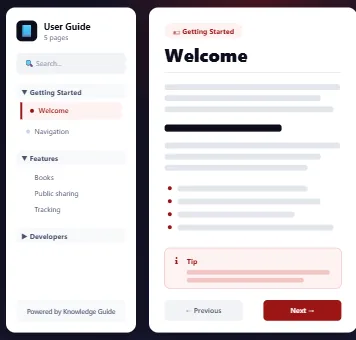
A guide online in a few minutes
-
Write pages
Create your pages and sort them by category.
-
Group them into a book
Pick the pages, give the book an address, publish.
-
Share the link
Send it by email from Odoo and track who opens it.
Frequently asked questions
Do your teams need a guide for Odoo?
We can write it with you, from your own screens and your own processes.