The Partner Ledger button is back on the contact form
Up to Odoo 17, a button opened the ledger of a customer or vendor from its form. It is gone since Odoo 18. Partner Ledger Button brings it back, and adds the shortcut that was missing: the items still to reconcile.
Three screens to check one account
The report still exists, but it is no longer one click away.
No button on the form
In Odoo 19, the contact form only offers a “Due” button, which opens the follow-up report.
The filter to type again
You open Accounting › Reporting › Partner Ledger and filter on the partner by hand.
A second trip to reconcile
The report is read-only: matching an invoice with its payment means going through the reconciliation menu, with the same filter.
What Partner Ledger Button does
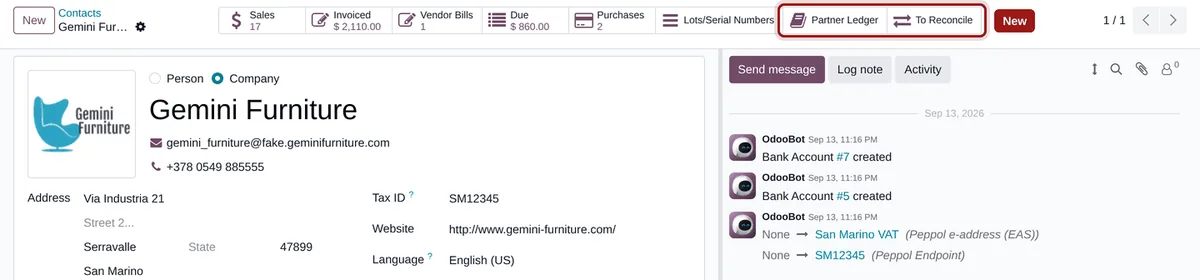
Two buttons on the contact form, one on the report.
Partner Ledger
A smart button opens the partner ledger filtered on the contact and its company, fully unfolded.
To Reconcile
A second button opens the unreconciled items of the contact in the reconciliation list, ready to match.
Reconcile from the report
The partner ledger gets a “Reconcile” button that opens the same list, filtered on its partners.
No setting, Odoo access rights apply
-
Open a contact
Any customer or vendor, from Contacts, Sales or Invoicing.
-
Click “Partner Ledger”
The report opens on this partner only, unfolded, with all the usual filters. A child contact opens the ledger of its company.
-
Click “To Reconcile”
The reconciliation list opens on the open items of the partner: select the matching lines and reconcile them.
Frequently asked questions
Is your accountant missing other shortcuts?
List them for us: many are fixed with a single button.