Connect a shared mailbox to Odoo without marking it as read
When Odoo fetches a Gmail, Outlook or IMAP mailbox, it marks every email as read, even the ones it ignores. Fetchmail Keep Unread only marks as read the emails Odoo files on a document: newsletters and personal mail stay unread for those who read the mailbox elsewhere.
A shared mailbox nobody can read any more
Odoo’s standard behaviour, every five minutes, on each incoming server.
Everything turns “read”
Newsletters, invitations, supplier invoices: everything is marked as read, even what Odoo filed nowhere.
The team loses track
The front desk or the volunteers reading info@ in their mail client no longer know what they have not seen yet.
The false good idea
Leaving ignored emails unread without further care: Odoo reads them again on every run, and in 19 and 20 recent replies get stuck behind them.
Why “leave it unread” is not enough
A mailbox that keeps 60 newsletters unread, with Odoo 19 and 20’s standard fetch (every 5 minutes, in batches of 50):
Calculated from Odoo’s code, not measured: the volume depends on your mailbox, the mechanism does not. Read the full article.
What Fetchmail Keep Unread does
One option per incoming server, without changing anything else in Odoo’s mail.
Read only if filed
An email is marked as read only if Odoo created or updated a record with it: reply to a quotation, new lead, ticket.
Each email examined once
Odoo remembers the last email examined (IMAP UID): an ignored email is never downloaded again, a recent reply never waits behind it.
Nothing else changes
The content is read without setting the “read” flag. Servers without the option keep Odoo’s standard behaviour.
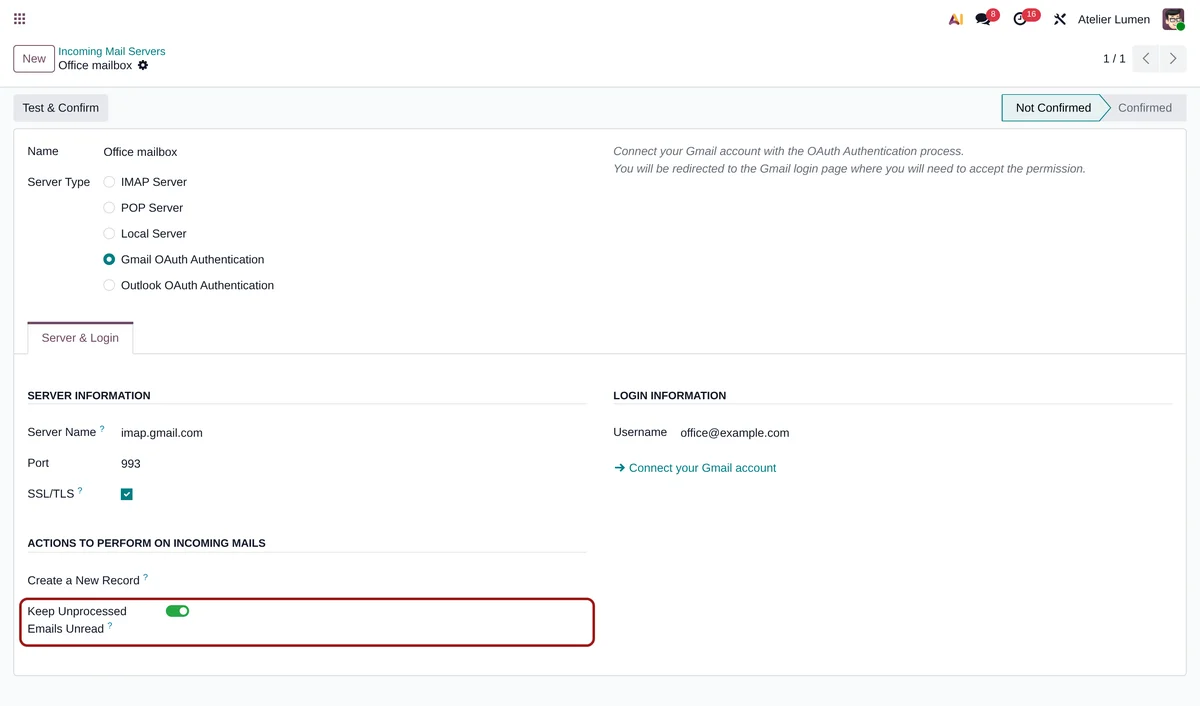
One toggle, and that is it
-
Install the module
It only depends on Discuss (mail): Odoo 18, 19 and 20, Community and Enterprise alike.
-
Open the incoming server
Settings › Technical › Incoming Mail Servers (developer mode), or the “Incoming Email Servers” link in the general settings.
-
Switch the option on
From the next run, only filed emails are marked as read. The first run only examines the unread emails of the last two days.
Frequently asked questions
A shared mailbox to connect to Odoo?
Tell us who reads it and what should reach Odoo: we suggest the right setup.