The expense report is back in Odoo 19 and 20
Up to Odoo 18, the expenses of a trip travelled together: the employee gathered them in an expense report, submitted it once, the manager approved it once, accounting reimbursed it with one payment. Odoo 19 removed the expense report, and Odoo 20 did not bring it back. Expense Reports puts it back, as a light folder on top of the standard expenses. Free, for Odoo 19 and 20, Community and Enterprise.
Ten expenses, ten flows
Since Odoo 19, every expense travels alone, from the receipt to the reimbursement.
Ten submissions, ten approvals
A three-day trade fair means a train, a hotel, meals, taxis: as many expenses to submit and approve one by one.
No overview
The manager no longer sees the trip, only isolated lines, with no total and no period to check before saying yes.
Ten pages to print
Printing gives one page per expense: there is no single document to file or attach to the reimbursement.
What Expense Reports does
A folder that groups the expenses and drives Odoo’s standard flow, one click per step.
Create the report in one click
In the expense list, Actions › Create Report. One report per employee, with a name and a period filled in.
One action for the whole folder
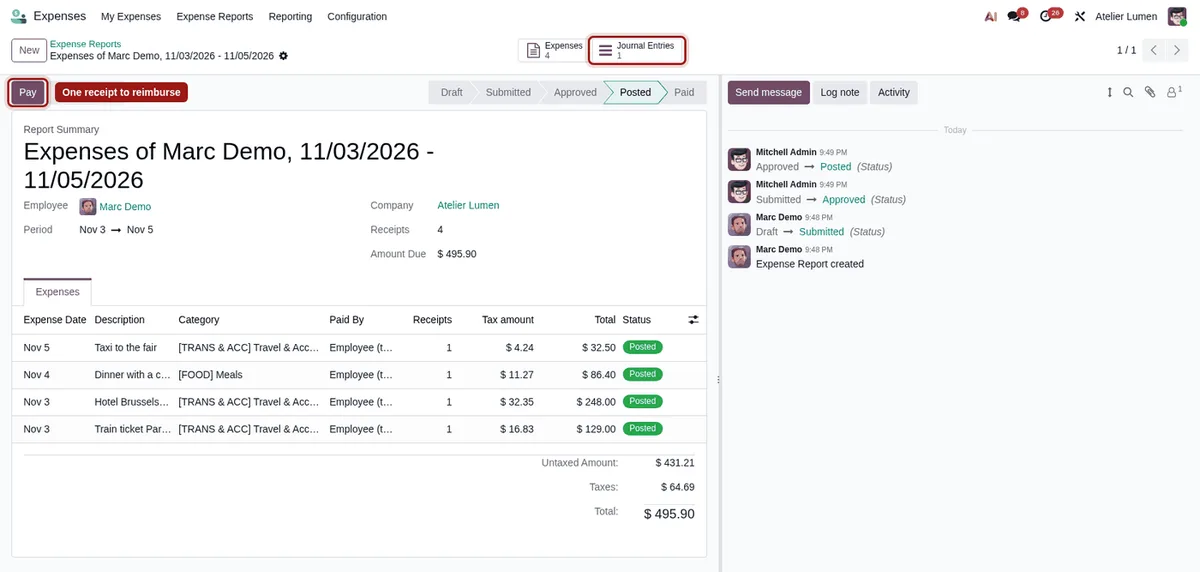
Submit, Approve, Refuse, Post, Pay and Reset to Draft act on every expense of the report at once.
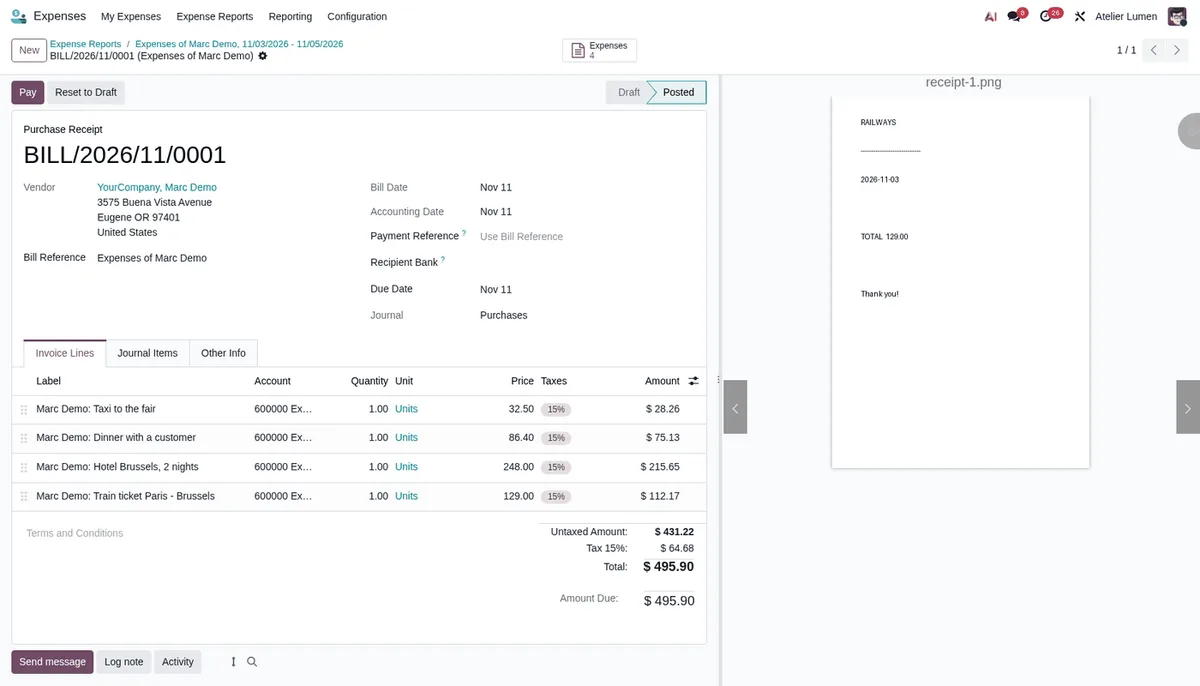
One receipt to reimburse
Employee-paid expenses posted together land on a single receipt, with every attachment. That is Odoo’s standard behaviour, which the expense report can finally trigger.
Status and totals on the report
The status follows the expenses up to Paid. Untaxed amounts, taxes, total, receipts, journal entries and the amount due are gathered on the report.
One PDF
Every line, the period and the totals on one document. Refused expenses stay listed for reference, out of the total.
Standard accounting
The module calls Odoo’s standard actions and writes no entry itself. Taxes, analytic distribution and reinvoicing to customers do not change, and access follows the expense rules.
No settings
-
Select the expenses
In My Expenses, tick those of the trip, then Actions › Create Report.
-
Submit the report
One click sends every expense for approval. The manager approves or refuses the whole report.
-
Post and pay
Accounting posts the report in one go and pays the single receipt. The report turns Paid.
Frequently asked questions
Our other Odoo modules
Have your expense reports scattered since Odoo 19?
Show me how your teams handed in their expenses before the upgrade: I tell you how to get the same flow back.