Register cash in and cash out, straight to the right account
In the Odoo Point of Sale, every cash in or cash out goes to the suspense account of the cash journal, with a free text typed by the cashier as the only reason. Tips, bank deposits, small purchases: everything ends up in the same place and accounting reclassifies by hand. POS Cash In/Out Reasons adds predefined reasons, each one tied to its account. Free, for Odoo 19, Community and Enterprise.
Everything on the suspense account
The reason typed at the register is only a label: Odoo derives no account from it.
One account for everything
Tips paid to staff, a bank deposit, a purchase at the corner shop: every move lands on the suspense account of the cash journal.
Reclassified by hand
At the end of the month, accounting reads the labels and moves the entries one by one to the right accounts.
Fragile rules
Reconciliation models or automated actions that read the label break as soon as a cashier spells the reason differently.
What POS Cash In/Out Reasons does
Reasons prepared in the back office, tapped at the register, posted without any fix.
One account per reason
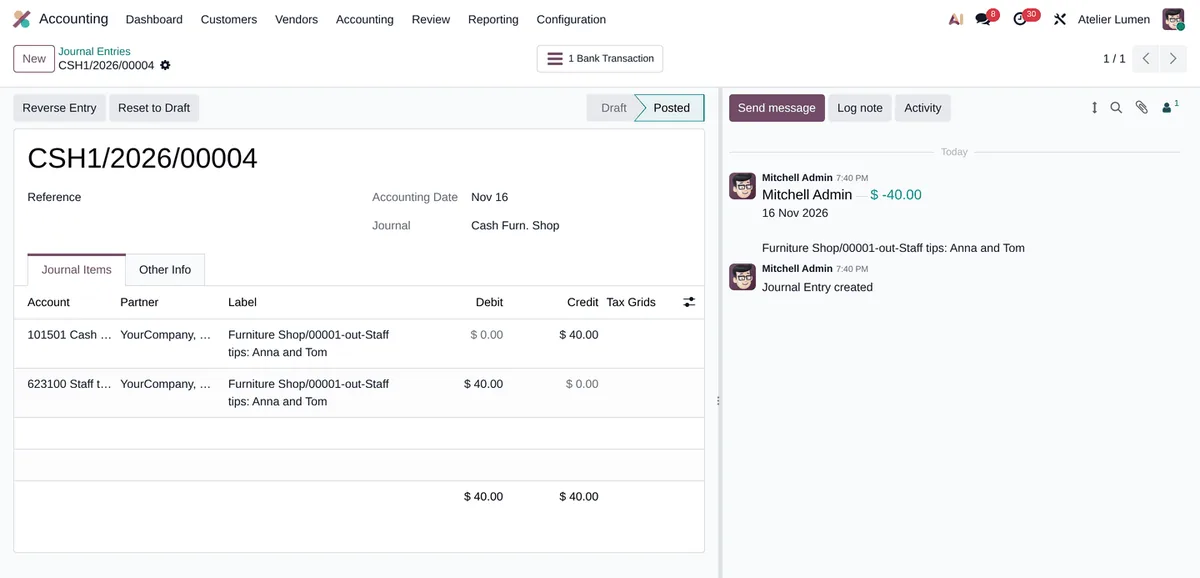
Each reason carries its counterpart account: an expense for tips, an internal transfer for bank deposits, an income for a change fund topped up by the owner.
Optional taxes and analytic
With taxes on the reason, the amount typed is tax included and the entry is split into base and tax, like the standard cash difference entries. An analytic distribution can be added.
One button at the register
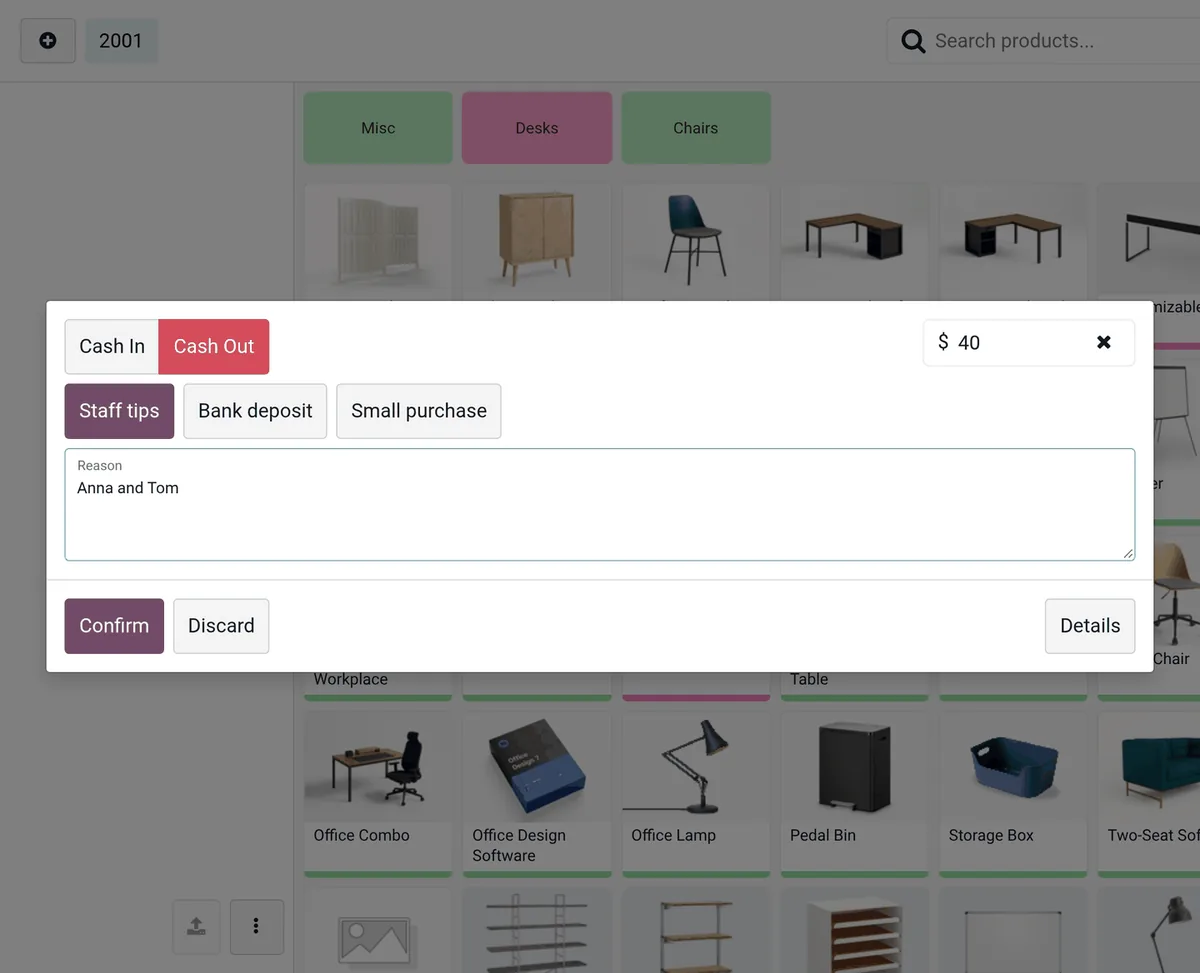
Reasons show as large buttons in the Cash In/Out popup, filtered by direction. A note can still complete the reason.
Per register, per direction
A reason can be used for cash in, cash out or both, and be limited to some registers. With no register set, it is offered everywhere in the company.
Checked on the server
The reason must be active, belong to the company, be allowed for this register and match the direction of the move. The standard cash move rights do not change.
Free text still works
Without a button, the move behaves exactly as in the standard and goes to the suspense account.
Two minutes of setup
-
Create the reasons
Point of Sale › Configuration › Cash In/Out Reasons: name, direction, account, and optionally taxes, analytic distribution and registers.
-
Tap a reason at the register
Menu › Cash In/Out: type the amount, tap the reason, add a note if you like, confirm.
-
Leave accounting alone
The entry is posted to the reason’s account. The label keeps the session, the direction, the reason and the note.
Frequently asked questions
Our other Odoo modules
Does your accountant still reclassify register moves?
Tell me which moves go through your register: I prepare the reasons and the accounts that go with them.