The due date, finally visible in the aged balance
The Odoo Aged Receivable spreads what you are owed over 30-day periods, but only shows the date of each invoice: the date the customer has to pay appears nowhere. Aged Balance Due Date adds a “Due Date” column to the Aged Receivable and Aged Payable. Free, for Odoo 19 and 20 Enterprise only: the aged balances belong to the Accounting app (account_reports), which Community does not have.
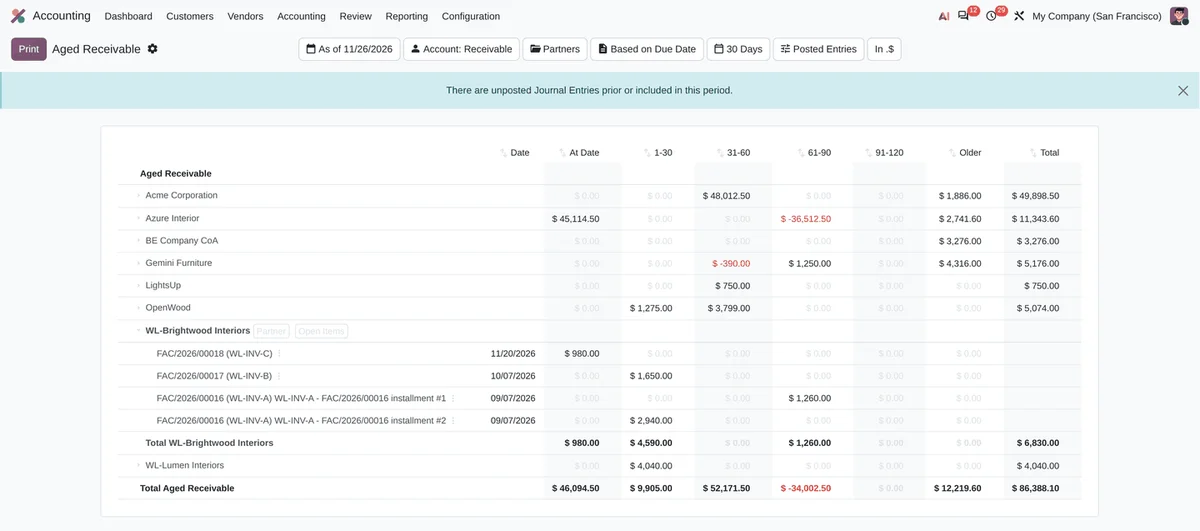
You see when the invoice was issued, not when it is due
To find out, you have to open the invoices one by one.
A single date on screen
Unfold a customer: each journal item shows its invoice date. Its due date is nowhere in the report.
“Based on: Invoice Date”
The report then ages the amounts on the invoice date: nothing on screen tells you when the money is expected.
Two lines, the same date
An invoice payable in two instalments gives two lines with the same invoice date. Which one is late?
What Aged Balance Due Date does
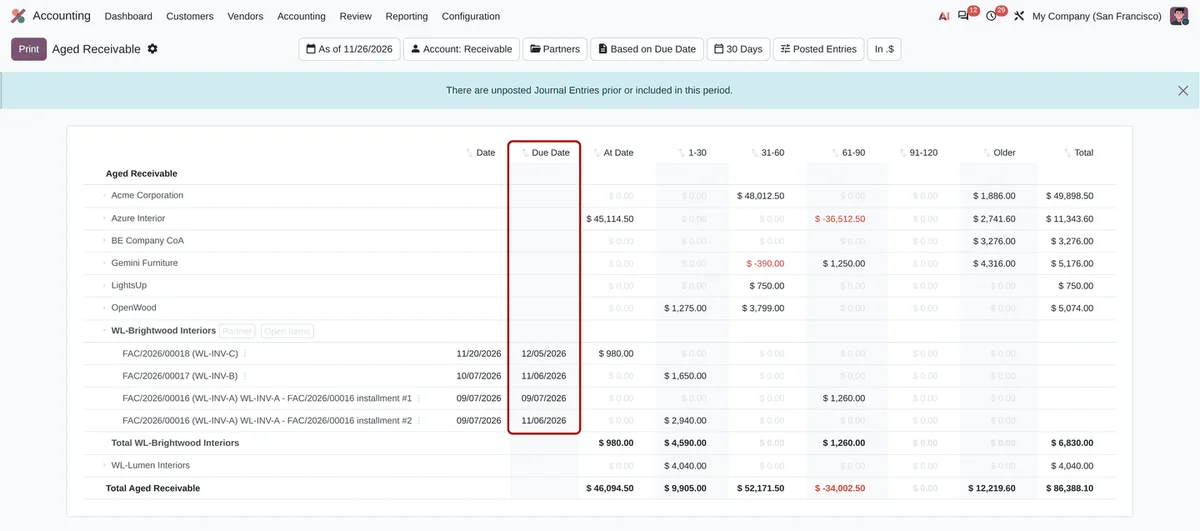
One more column, next to the invoice date.
The real due date
The due date of the journal item itself, whether the report is based on the due date or on the invoice date.
One date per instalment
A payment in several instalments gives one line per instalment, each with its own date: the late one stands out.
Sortable
Click the column header to sort the journal items by due date, like the date column next to it.
In the Excel export
The column is part of the XLSX export of the report.
Customers and vendors
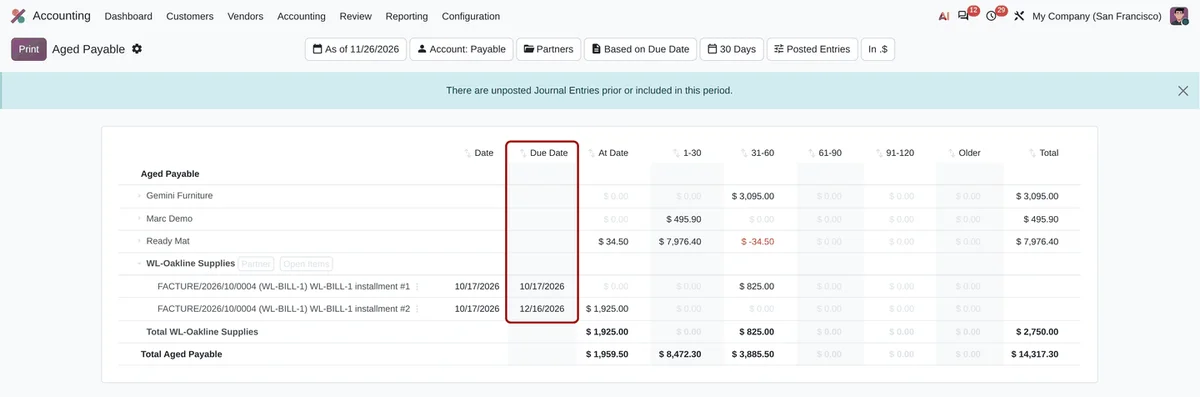
The same column in the Aged Payable: the bills to pay first are obvious at a glance.
No additional query
The due dates come from the journal items the report already loads to name its lines: as many queries as the standard report.
Nothing to configure
-
Install the module
No setting: the column appears in both aged balances.
-
Open an aged balance
Accounting › Reporting › Aged Receivable (or Aged Payable). The “Due Date” column follows the date column.
-
Unfold a partner
Each journal item shows its due date. Sort with one click on the header, or export the report to Excel.
Frequently asked questions
Our other Odoo modules
Do your payment reminders go out at the right time?
Show us your aged balance: we will tell you what Odoo can display in it, and how.