The sections of a quotation, folded in one click
Odoo organises the lines of a quotation or an invoice in sections and subsections, but on screen they always stay open: a quotation of forty lines is read by scrolling. Collapse Line Sections adds a chevron to every section and a “Collapse all” button. Nothing is saved on the document: only your screen changes. Free, for Odoo 19 and 20, Community and Enterprise.
A long quotation is read by scrolling
And the standard options do not do what their name suggests.
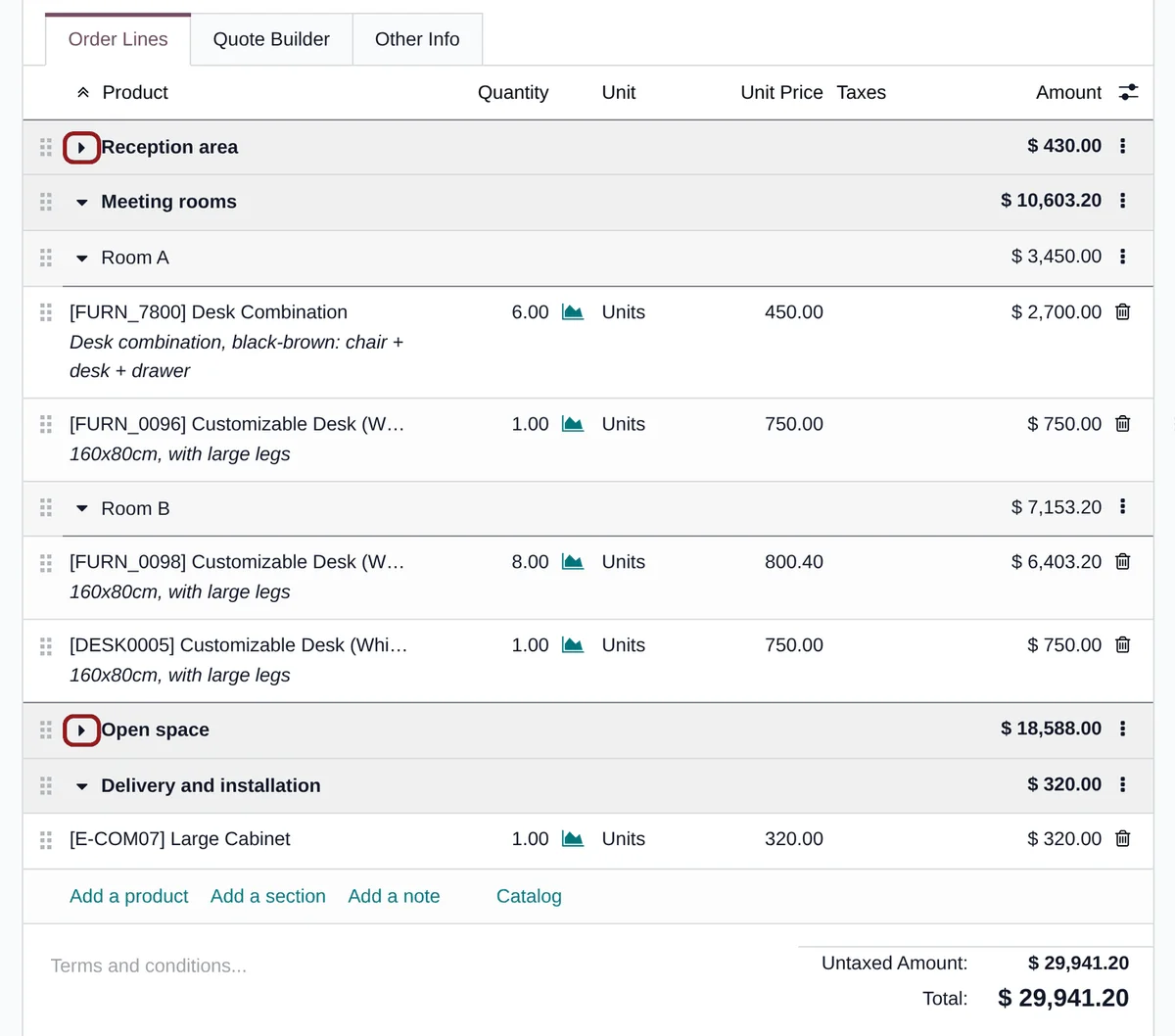
Every section open
To change the last section, you first scroll through all the others, line by line.
An option that folds nothing
“Hide Composition” and “Hide Prices” are saved on the section and act on the PDF and the portal; on screen, they only grey the lines out.
The customer sees the difference
Ticking “Hide Composition” to get a clearer view also removes those lines from the quotation sent to the customer.
What Collapse Line Sections does
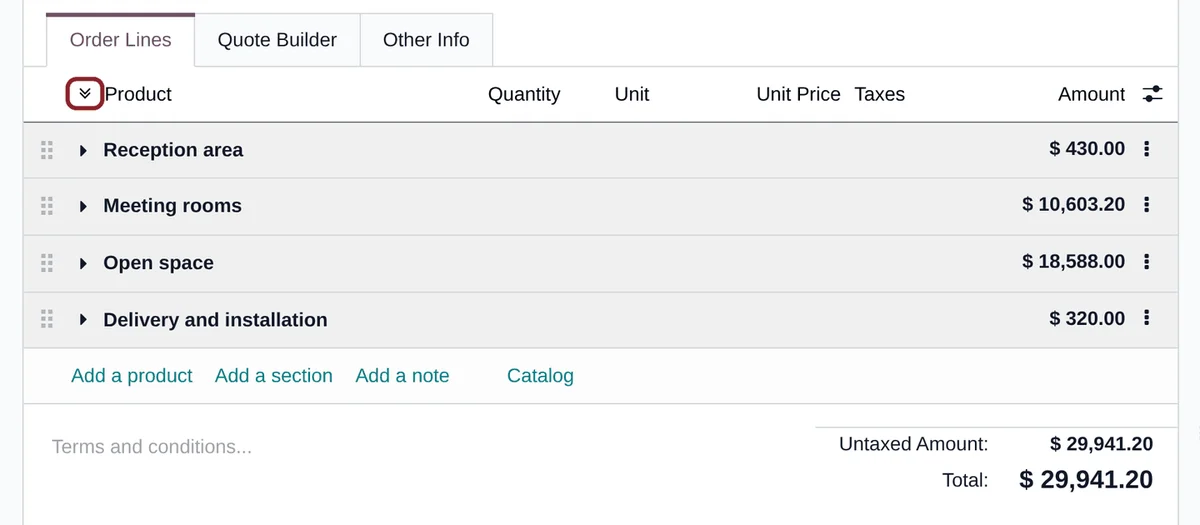
The form becomes its own table of contents.
A chevron per section
One click folds the section, a second one unfolds it. The subtotal of the section and the totals of the document stay displayed.
Subsections included
A folded section hides its subsections too; unfolded, each subsection gets its own state back.
Collapse all, expand all
The button in the header of the lines folds all the sections at once, or unfolds them all.
Your screen only
No field, no write: the PDF, the portal and the e-mails do not change, each user folds what they like.
Kept per document
The state is kept in your browser, document by document: reopen the quotation tomorrow, it is still folded.
No server call
Folding costs nothing. When the lines do not fit on one page, they are loaded once before folding.
Nothing to configure
-
Install the module
It only depends on Invoicing (account) and works with Sales and Purchase when they are installed.
-
Fold a section
Click the chevron at the start of the section row. To fold everything, use the button in the header of the lines.
-
Keep working
Add or edit a line in a folded section: the section unfolds by itself. Locked and posted documents can be folded too.
Frequently asked questions
Our other Odoo modules
Do your quotations run to several pages?
Show us how you build them: we tell you what Odoo already does on its own, and what deserves a module.