Sold at the counter, delivered to the right address
With “Ship Later”, the Odoo Point of Sale creates a delivery order in the name of the customer and never looks at its delivery addresses: the parcel is planned for the head office. The invoice of the same ticket does use the delivery address. POS Ship Later Address aligns the delivery order with the invoice. Free, for Odoo 19 and 20, Community and Enterprise.
The invoice and the delivery order disagree
And the delivery order is the one that leaves with the truck.
Delivered to the head office
The delivery order takes the customer of the ticket, not its delivery address: the driver heads for the wrong place.
Two documents, two addresses
The invoice of the same ticket uses the delivery address. Which one does the warehouse trust?
The workaround is costly
Selecting the delivery address as the customer of the ticket sends the ticket, the loyalty points and the statistics to the wrong contact.
What POS Ship Later Address does
The delivery order takes the address the invoice already uses.
Same address as the invoice
The delivery address is found exactly as the invoice of the order finds it.
Counter sales unchanged
An order paid and taken away (no shipping date) does not change: the goods leave with the customer.
The customer stays the customer
Ticket, invoice, loyalty points, pricelist and fiscal position stay in the name of the customer.
Multi-step delivery
In a 2-step delivery, the pick and the ship operations both carry the delivery address.
One lookup per order
A single address lookup per order, whatever the number of lines.
Nothing to configure
Server side only: the POS screens and the offline mode do not change.
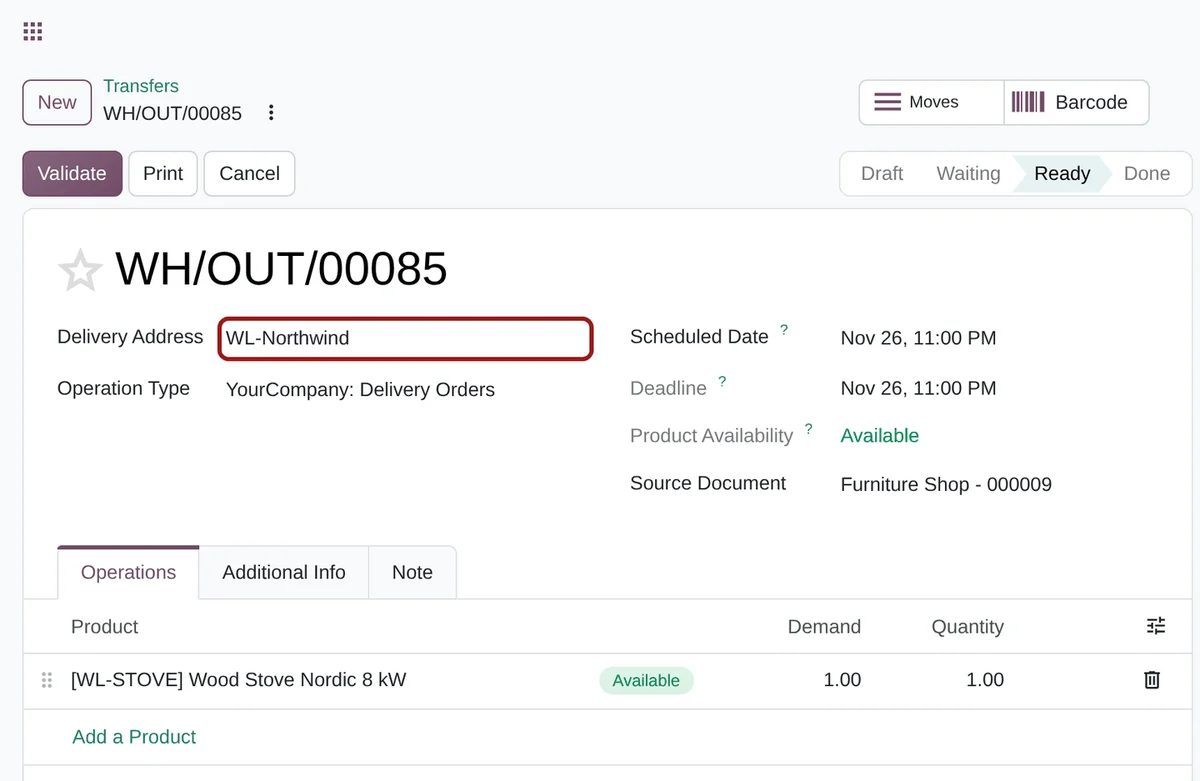
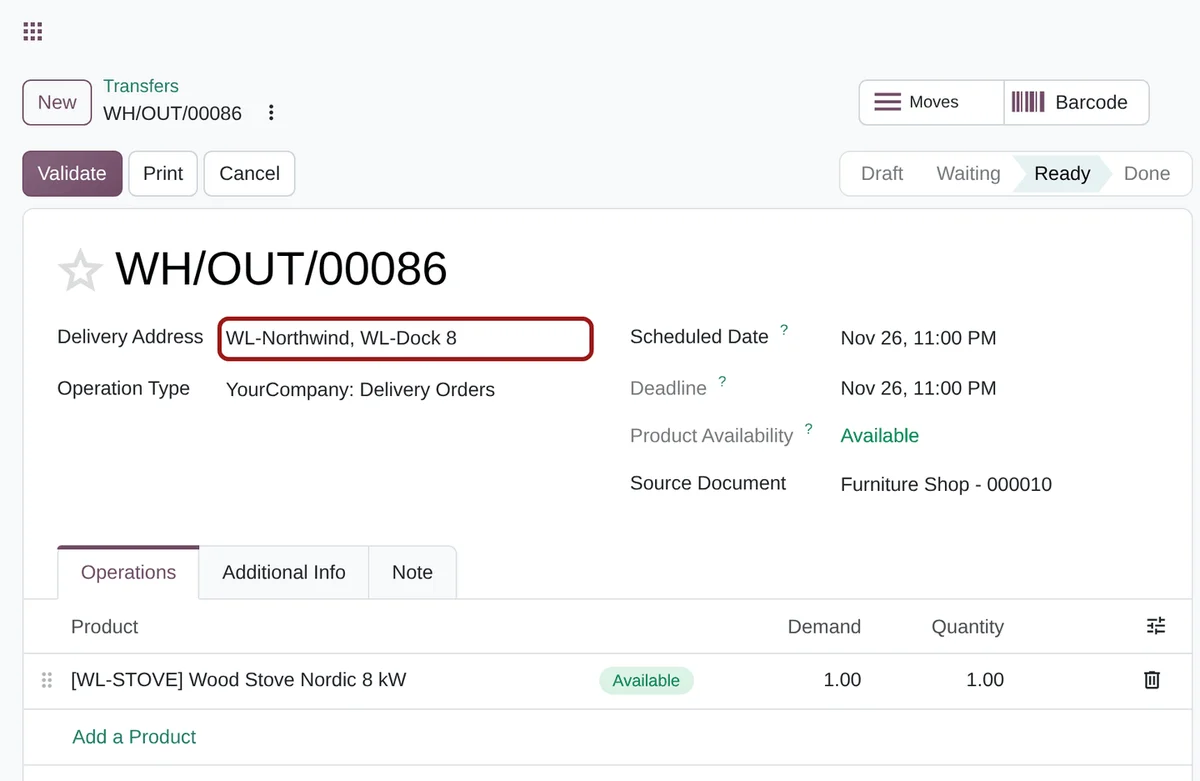
Nothing to change
-
Give the customer a delivery address
A contact of type “Delivery Address” under the customer, as for sales orders.
-
Sell with “Ship Later”
In the POS, select the customer, the products, then “Ship Later” on the payment screen, as usual.
-
Deliver
The delivery order and its moves carry the delivery address. A customer without a delivery address keeps the standard behaviour.
Frequently asked questions
Our other Odoo modules
Do you deliver from your shop?
Show me how your in-store sales reach your customers: I will tell you what Odoo can do on its own.