No more empty PDF attached to your invoices
An email template can attach “dynamic reports”: PDFs printed when the email is sent. Odoo attaches every one of them, every time, even when the report has nothing to show for that document. Conditional Email Reports applies at sending time the domain the report already has for the Print menu. Free, for Odoo 19 and 20, Community and Enterprise.
Your customer receives an empty PDF
And on a batch of invoices, nobody removes it by hand.
A report attached everywhere
The service statement leaves with an invoice that has no service, the delivery slip with a service order.
The right setting is ignored
The report domain hides it from the Print menu when it is useless, but sending by email does not read it.
The only way out: remove the attachment
Invoice by invoice, in the Send window. Impossible in batch or automated sending.
What Conditional Email Reports does
The report domain also decides what leaves by email.
The rule of the Print menu
One setting, already known: the report domain. Nothing new to learn, no new setting.
Every way of sending
Emails sent from a template (chatter, mass mailing, automated actions) and the invoice Send window, one by one or in batch.
Fast on large batches
Each domain is evaluated once for the whole batch, whatever the number of documents.
Checked domain
A domain that cannot be evaluated is refused when the report is saved, instead of making your sendings fail later.
Works with PDF Reuse
With Mail Composer PDF Reuse, a bridge installs itself and keeps each reused PDF linked to the right report.
Odoo 19 and 20
In 19 with Invoicing, it is Odoo’s own domain field, under the template name; without Invoicing, the module adds it to the Visibility tab of the report, as in 20.
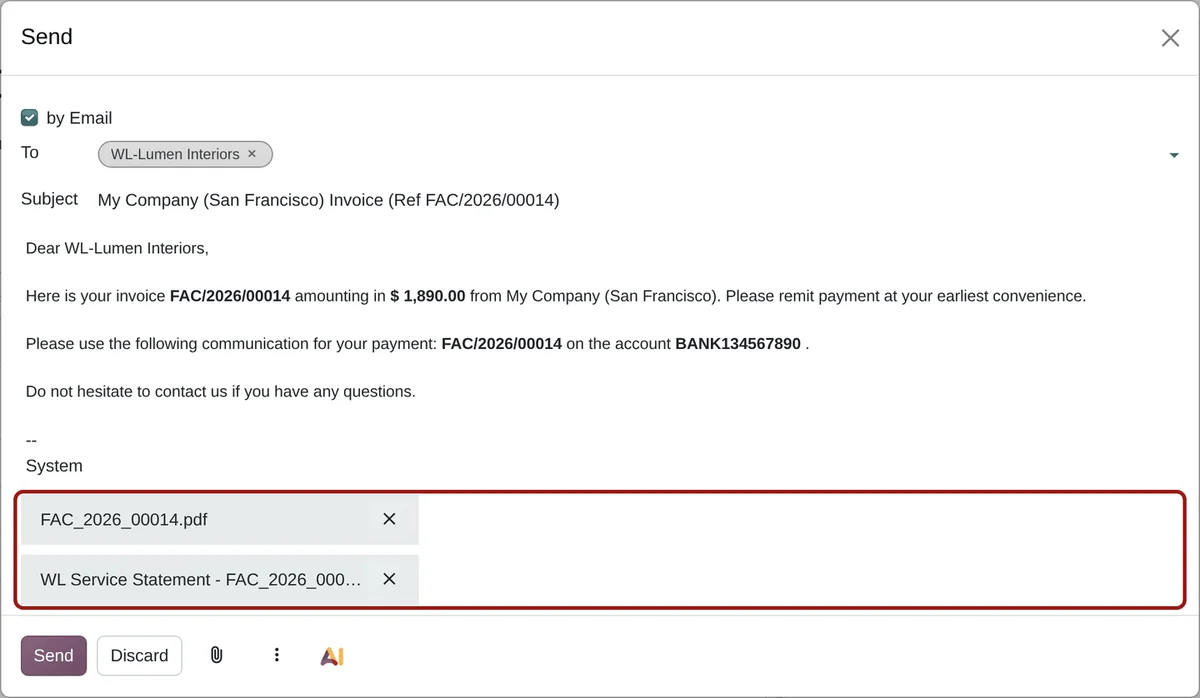
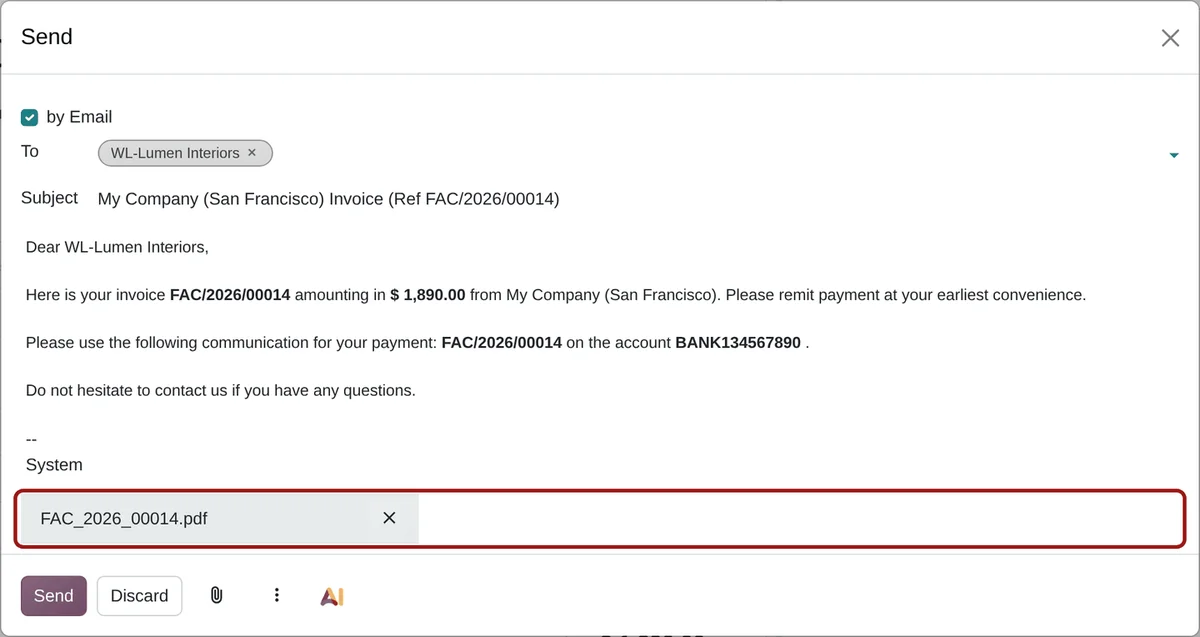
One domain, that is all
-
Give the report a domain
Settings › Technical › Reports (developer mode), for example: invoices with at least one service line.
-
Attach it to the email template
In the “Dynamic Reports” of the template, as usual.
-
Send
The report only leaves with the documents that match its domain, one by one or in batch.
Frequently asked questions
Our other Odoo modules
Your customers receive useless attachments?
Show me your email templates: I will tell you what Odoo can attach, and when.